Categories

Showing posts with label Apple. Show all posts

Tuesday, January 28, 2014

Mavericks Major New Features

OS X 10.9 Mavericks is Apple's latest desktop and laptop operating system.  Apple told us during their special event presentations that there will be over 200 new features.  We will be covering the 10 most important and useful features for you here.  Perhaps the most notable "feature" about this new operating system update is it is completely free!  I watched the Apple announcements and was amazed to hear they were not charging for this update.  The new Mavericks will run on any many Mac desktop and laptop computers made in Mid 2007 that can run Mountain Lion.

Now we will go through a list of the top 10 new Mavericks features.  Thanks to Apple for providing this information for us.


  1. Safari browser - Shared Links in Sidebar shows links posted by people you follow on Twitter and LinkedIn so you can keep up with your favorite topics and you can retweet quickly if you want to do that.  Safari saves battery and processor power by turning off animations and plug-ins in windows that are covered up by another window on screen.  In the Top Sites screen, you can add sites from your bookmarks and easily reorganize the thumbnails.
  2. Finder Tabs - Safari lets you have tabs to have access to multiple websites in one window and the Finder now lets you have the same thing.  Finder now lets you get a full screen view with a single click. 
  3. Tags - Now you have a new way to organize your files by applying a personalized tag to them.  When you need those files later, they will all be organized under that name.
  4. Maps - Directions you look up on your Mac can be sent to your iPhone. Clicking on points on the map will give you the address, phone number, website, photos and Yelp reviews.  Maps gives you Flyover, a 3D photo-realistic, completely interactive and entertaining view of some select cities around the world
  5. Calendar - An iOS 7 like new look and new features make managing your time faster. The new event inspector suggests addresses and points of interest when you type in a location. It shows your event’s location so you can quickly get directions. It displays the weather and calculates travel time. You can set a notification so you know when to head out.
  6. Interactive Notifications - Allows you to reply to a message, respond to or reject a FaceTime® call or delete an email, all without making you change what app you're working in. Websites can use notifications to give you the latest news, scores and more. While You Were Away Notifications lets you see notifications that happened while your Mac was sleeping.
  7. Full multi-monitor support takes full advantage of monitors connected to your Mac.  Each monitor has its own menu bar, and the Dock shows up on whichever screen you’re working on. You can have a full-screen app on one monitor and a few windows on another monitor or a full‑screen app separately on each monitor. You can turn your HDTV into a second monitor with your Apple TV and AirPlay.
  8. iBooks - Gives you access to your current iBooks library and more than 1.8 million textbooks, classics and latest best sellers in the iBooks store. iBooks works seamlessly across your devices, so you can start reading a book on your Mac, mark up what you're reading, then pick up where you left off on your iPad.
  9. iCloud Keychain - safely stores your website login information, credit card numbers and Wi-Fi passwords and makes them available on all your devices so you never need to remember them. Information is always safely protected with advanced encryption.
  10. New core technologies in Mavericks improves under the hood operations on your Mac. Timer Coalescing schedules low-level operations so the processor can spend more time in low-power mode. App Nap reduces power used by apps that you’re not using. Compressed Memory keeps your Mac fast by compressing inactive data. When inactive data is needed again, Mavericks decompresses it.
  11.  
What are your thoughts about these new features in Mavericks?  Which features caught your attention?  Did you see any features you've been waiting for from Apple?

If you thought this list was helpful, leave a comment, share it, give us a like on Facebook, and follow me on Twitter!

Tuesday, October 22, 2013

Apple Media Event Announcements: Free OSX Mavericks is Here! iPad Air, iPad Mini 2, New Retina Macbook Pros

OSX Mavericks from www.Apple.com


Hopefully, you saw the Apple Media Event and saw the new introductions.  I missed it but I hope to watch it later if I can view it on my Apple TV (which I didn't hear of any updates for).  There were some good announcements today.  Here is a quick summary:

OSX Mavericks is available and FREE at the Mac App Store.  Thanks to MacRumors for that information.  You can access OSX Mavericks by clicking here.  Mavericks comes with over 200 new features which I'll cover in depth later...maybe not all 200 but the major updates.  So, hurry and get Mavericks!

iPad Air:  The latest full size iPad was introduced and is now called the iPad Air because it is thinner and lighter than its predecessors and comes with a Retina display as usual.  It also has a 64-Bit A7 processor and it comes with sizes up to 128 GB's of storage.  See more details here.

iPad Mini:  The latest generation of iPad Mini now comes with a Retina display.   I know many people were waiting on that so it's finally here.  If this is what was holding you back from getting an iPad Mini...then wait no longer...well, a little longer...they should be released in November.  The new iPad Mini is a little thicker and heavier than its predecessor but hopefully we won't be able to really tell the difference.  It also has a 64-Bit A7 processor and comes in sizes up to 128 GB's of storage.  See more details here.

Macbook Pro with Retina:  There was no update for the normal Macbook Pro but the 13" and 15" Macbook Pros with Retina were updated with new Haswell processors and faster Flash storage.  The entry level price has also dropped on the Retina Macbook Pros by $200.  See more details here.


You can watch the full event here if you haven't seen it.

I hope you enjoyed the announcements from Apple and we will dive deeper into them later.

What are your thoughts about Apple's announcements?  What products are you excited about?

If you found this helpful, make sure you leave a comment, share it, "Like" us on Facebook, and follow me on Twitter!

Monday, August 12, 2013

Apple iPhone 5 Panorama Tutorial


If you are like me, you take a lot of pictures with your iPhone.  It's just so convenient when you always have a camera with you.  My iPhone has helped me out tremendously in explaining things.  Sometimes you explain something and you think, "I wish I had a picture".  Now when I think that, I usually have a picture on my iPhone.

Now there may be some times when you want to take a picture of something that is as beautiful as it is large.  You don't want to lose the integrity of the picture.  You want to capture it as you are viewing it.  This is when the iPhone's Panorama feature comes in handy.

The iPhone's gyroscope and camera app work in tandem to help you create a stunning panoramic picture.

If you have never used this feature before, make sure you watch the video tutorial up above and you'll be ready to go in no time.

Take great panoramic photos with the iPhone's Panorama feature and share the moments you love with the ones you love.

Was this tutorial helpful?

If you found this helpful, make sure you leave a comment, share it, "Like" us on Facebook, and follow me on Twitter!

Monday, July 29, 2013

IOS 7 Features You May Not Know About


There are a lot of changes in iOS 7 for the iPhone since the software was overhauled.  At WWDC, Apple covered many of the changes but there are some changes they did not cover.  This video is to catch you up on the uncovered changes.  The guy in the video (SoldierKnowsBest) talks a little fast but you can pause, rewind, or replay as needed.  This is some very good information and there is a recap below.

Here are some changes in iOS 7 that you may not know.  Some are very minor but others may come in handy.

Spotlight search -- Instead of having to scroll to the left to access spotlight search, you can now access the feature by sliding your finger from the middle of the screen.  Before you would only see the spotlight search...it seemed like you opened a search app because the search was your complete focus.  Now it feels more integrated with the iOS while you're searching.  Honestly, right now, I rarely use spotlight search so I guess I will find out if that's because of the location.  Now, that it will be slightly easier to access and more integrated with the regular screen, I may use it more often.

Clock app -- If you start a timer under the clock app, when you lock your iPhone, the timer will display below the current time.  In previous iOS versions, if you start a timer and lock your iPhone, the timer is not displayed.  If you want to check the status of your timer, you must unlock your iPhone.  So, if you use the timer function a lot, the new iOS will make the timer a bit more helpful.

Turn off iPhone -- Along with all the modern tweaks in iOS 7, you will notice how it now turns off slightly differently.  Now, you receive the see through "slide to power off" button.  As you slide to power off in iOS 7, the screen will begin to dim to reflect the action.  This isn't a big feature...it's just a nice little touch feature that most people may overlook.

Unlock your iPhone screen -- So after you have locked your iPhone screen, currently, you have to click the Home button, then click "slide to unlock".  With iOS 7, you can "slide to unlock" from anywhere on the screen.  This feature may save you a little time.

Multitasking -- Now with multitasking, you get a preview of the apps that are currently open.  This works when your screen is displaying portrait or landscape mode.  You can also close multiple apps at once simply by grabbing them and sliding up.  This can be very helpful if you normally have a lot of apps open and want to close them.  Currently, you would double click the Home button, then hold your finger on the multitask panel until the app icons began to shake.  Then you tap the "x" on each app to close them.

App Store wish list - In iOS 7, the app store will offer a wish list option.  When browsing apps, if you're not completely sure about buying the app, you can add it to your wish list.  This may be helpful if you normally purchase a lot of apps at once.  You can browse apps and add them to your wish list.  Then you have them all in one place when you're ready to purchase.

Passbook scan feature -- In iOS 7, when using Passbook, you now have scan functionality where you can scan QR codes.

Maps app -- The app now has a compass in the top corner to help you navigate.

Phone keypad -- In the new iOS, when you are dialing a number on the keypad, as you select a number, your background will display.  This is a very subtle change.

Camera app -- You will now be able to pinch to zoom while recording video.  This will help with focusing your video and may produce videos with a bit more appeal...all depends on what you're zooming in on I guess.  If you take a lot of panoramic photos, you can now use those photos for your iPhone background.  This is interesting because you can move your iPhone around and it will display different parts of the panoramic background.

That's a recap of all the features that were covered in the video.  I hope you find some of the new features cool or helpful.  With this tutorial, by the time iOS 7 comes out, you will already know a lot about it.

What do you think about iOS 7 and its new features?

If you found this helpful, make sure you leave a comment, share it, "Like" us on Facebook, and follow me on Twitter!

Monday, July 15, 2013

Apple iWatch in 2013?


In the news (or should I say rumor sites) recently, there has been talk about Apple possibly releasing the iWatch this year.  Reports say Apple has been hiring lately for their iWatch project.  Earlier this month, Apple filed for the iWatch trademark in Russia, Japan, Taiwan, Mexico, and many other places.  Normally, this is a sign that Apple is preparing to release a product in the near future...like maybe the next year or so.

I normally try to stay away from rumors on Apple Newbies but I'll occasionally make an exception for  a potential new product.  It seems like a small product but I wonder what capabilities could an iWatch have.  What use would I have for a smart watch?  Could it be a more convenient way to access iPhone or iPod features?  Would it work with other Apple products or would the iWatch eventually replace other products?

For your viewing enjoyment, watch what Apple Bytes has to say about the Apple iWatch.  They have a few renderings of how the Apple iWatch could possibly look.  The video also covers a few other topics such as Apple's Back to School promotion,  an illumination system for iPhones, combined input port, and an Apple buying guide.

I'm waiting to see what Apple will release for the iWatch and what capabilities the device will have.  I'm excited but not overly excited because we don't know when it will be officially announced and released.  I guess in the meanwhile, it gives us something to think about.

What do you think about Apple's potential iWatch?


You may also like:

OSX Mavericks and How to Upgrade

Thoughts on Apple Announcements at WWDC

Apple Newbies Tour


Thursday, June 13, 2013

Thoughts on Apple Announcements at WWDC 2013


Apple unveiled some products, software, and a new commercial at the 2013 World-Wide Developer's conference.  The commercial reinforced Apple's commitment to making great products which Tim Cook highlighted that during his keynote...which I watched on my Apple TV.


I was curious to see what Apple would unveil.  With the unveilings, there were some features and products that I liked and others I'm still unsure about.

Products announced


Macbook Air
Details:  New Macbook Airs will now stay charged for nine to twelve hours, or a whopping thirty days on standby, depending on the screen size.  Other hardware improvements mean up to 40 percent better graphics handling, and the Air can wake up from standby in about a second.

Thoughts:  I like the Macbook Air but I have never really played with one so I'm not sure what the actual performance would be like.  If you're not a power user and you just surf the web, do word processing, and access your social media, the Macbook Air is probably powerful enough for your needs.  Just make sure it has everything you need to be productive.  Due to the thin size, some hardware components are not standard.

Mac Pro
Details:  Since Steve Jobs untimely death in 2011, all Apple announcements have been met with an increased scrutiny and many have claimed their days of innovation were behind them.  But at the WWDC 2013, the company showed it can still surprise us by unveiling a completely redesigned Mac Pro. Built for power users, it's now a very stylish cylinder shape, allowing for better cooling and increased ergonomics. It's twice as fast as its predecessor, and supports the latest in video resolution technology known as 4K.

Thoughts:  Interesting design.  Almost makes me wish I did more power computing to have a need for it.  Way more power than I need and I'm sure the price will be expensive when it is officially released.  Seems like it will be a great tool for anyone that needs it and I'm sure the Mac Pro users have been waiting for a refresh.  I think they will be happy.


AirPort Extreme and Time Capsule
Details:  AirPort Extreme has been updated to include the latest in WiFi technology, 802.11 ac which supports signals three times as powerful as Wireless N. With more antennas, coverage is increased, and the slightly more costly Time Capsule version integrates backup storage up to 3TB.


Thoughts:  Just imagine have 6 Apple TVs (or Airport Express) stacked on top of each other.  That would give you about the size of the new AirPort Extreme and Time Capsule.  The idea is interesting.  You want to have a small footprint so build it upward.  At the same time that allows you to add more antennas.  I can appreciate adding 802.11 ac for faster speeds but the products aren't needed unless your products currently support 802.11 ac.  Whenever I get enough Apple products with 802.11 ac, then maybe I will consider the AirPort Extreme.  I like the theory of the Time Capsule...automatic backups but I created my own so I don't see the need to purchase one.  If you're a techie, build your own.  If you're not, then the Time Capsule may be a good option.


Software announced


IOS 7
Details:  While the most stunning change is visual—iOS 7 features a complete aesthetic redesign from the bottom up—other improvements include a smarter Siri, better multitasking support, and integration with supported vehicles, allowing you to use your iPhone to control its on-board technology. 

Thoughts:  I still like the old iOS but I know lots of people were ready for a change so Apple could keep up with the competition.  Just looking at images of the iPhone with iOS 7, it does look like a new phone.  I like that you can now have more apps grouped together.  I'm curious to see how much smarter Siri is.  I would use Siri more but when I ask questions or give commands that Siri can't answer or complete, I get frustrated.  


OSX Mavericks
Details:  There was Cheetah, Puma, Jaguar, Panther, Tiger, Leopard, Snow Leopard, Lion, Mountain Lion, and… Sea Lion? At WWDC 2013, Apple broke their trend of naming the operating system after cats and went with a California inspired surfer theme instead, going with the name Mavericks. The latest version of OSX has an emphasis on extending battery life, a fuller integration with iCloud, file tagging for easier searching, and a tabbed version of Finder, just to name a few of the more popular improvements.

Thoughts:  No comment.  I will get it when it's available and then decide what I think of it.


iTunes Radio
Details:  The long anticipated iTunes Radio has finally arrived. With it, users can log in and experience something like Spotify or Pandora, essentially listening to whatever song they want for free. It also has the ability to learn from your behavior and program custom channels so you can sit and listen to music it thinks you'll enjoy.

Thoughts:  I will try it when it's released and decide what I think then.  There are already apps that do this job so I will have to test it to see if anything sets it apart from the others.


iWork for iCloud
Details:  Now there is iWork for iCloud. With this announcement, Apple brings their iWork office suite, which includes the word processor Pages, spreadsheet program Numbers, and presentation software Keynote, to the web.  Work on your documents in your browser.

Thoughts:  I like iWork...it has features I like and so does Office.  I'm happy that you will be able to work on projects in your web browser.  I'm not sure how much it will cost to use.

Overall, I think Apple did well with their announcements at WWDC 2013.  How do you think Apple did at WWDC 2013?

If you found this helpful, make sure you leave a comment, share it, "Like" us on Facebook, and follow me on Twitter!


You may also like:

Tips to extend the iPhone 5's battery life


Monday, June 3, 2013

Apple Newbies Tour: Learn More About Apple!


This weekend, I decided to spread the word about Apple Newbies a bit more.  Therefore, I created my first Apple Newbies YouTube video that provides a tour of the Apple Newbies website.

I think the video will be helpful for anyone that wants to learn more about Apple and Apple products.  It shows them what the website offers and how to navigate around the website.

If you already visit Apple Newbies regularly, you probably know your way around the website pretty well.  But just in case you don't, you can also watch the video tour.

During the tour, I cover the website, social media buttons, the Apple Newbies store, Contact, and more.

Unfortunately, there is a new addition (coming soon) that wasn't ready in time for the video.  Stay tuned for that!  I think it will be a good.  I'm excited!

Here is an excerpt from my video description:


Apple Newbies is designed to help new and experienced Apple product users.  If you are interested in learning tips to improve your Apple product experience, this is the website for you.  If you are thinking about buying Apple products, you can get tips and ask questions.  If you have any questions or problems, just enter them in the "Contact" section.  Make sure you share this with your friends and family that have or are considering buying Apple products!

So, please take a little bit of time and review the Apple Newbies YouTube video.  I hope you enjoy it.  If so, be sure to share it with your friends to help me get the word out.


You may also like:

Tips to extend the iPhone 5's battery life


Monday, May 27, 2013

Tips for Buying Apple Products


If you are considering buying an Apple product or adding a new Apple product to your collection,  I'm sure you want to make the best decision possible and balance features with cost.  If money is no object, then you can buy the latest and greatest product.  But if you're like me, you want to find the device that does what you need at the best price.  So, today, we will look at things to consider when buying different Apple products and also go over some resources for finding good prices.

Apple TV

Apple TV -- There is not much to say about Apple TV.  It is a small device with a small price tag.  You just want to look at the features before you buy so you can answer the question, "Is the Apple TV worth it?"  Once you've reviewed the features, you will know if it's something you want.

iMac

iMac -- Apple recently released a new, thinner model.  If you like the new design, you're not alone!  The only decisions you have to make is screen size and processor speed.  They all have 8 GB's of memory and a 1 TB hard drive.  All the processors are quad core so unless you are a "techie", you probably don't need the top of the line processor.

iPad and iPad Mini


iPad/iPad Mini -- Here you have 2 options.  You can get the full size iPad or you can get the iPad Mini.   The iPad will have higher resolution while the iPad Mini is more compact.  I like the iPad and I didn't think I would like the iPad Mini when it was released.  Most people dispute against the iPad Mini is that there is no new technology in it.  It's just smaller.  But there is something about it.  It's light and feels very like-able in your hands.  That's just my opinion and the best way I could describe it.  If you want either of these devices, go for it.  Just keep in mind, there is a possibility newer models could be and probably will be released later this year.  Then you have to decide if you need it now or if you can wait.

iPhone


iPhone -- If you wanted the latest device, that's the iPhone 5.  If you can deal with a smaller screen to save money, that's the iPhone 4S.  If price is your largest concern, that's the iPhone 4.  If you don't want a contract, buy the phone outright and look for a prepaid plan.  Crunch the numbers.  You may pay more upfront but save more over the long term.


iPod -- You have a wide variety.  You have the Shuffle, Nano, Touch and Classic.  If you're just a music lover and don't need a display or apps, the Shuffle is for you.  If you prefer to have a display, then you can go with the other three.  If you want apps, then you're down to the Nano and Touch.  Then you just have to decide on the size and price you want.

Macbook Air

Macbook Air/Pro -- The Macbook Air is lightweight and very thin.  It's very portable but some features are missing to allow for the smaller size.  There is no DVD drive or ethernet port; you will have to purchase external accessories if those are a must.  You could use a thumb drive instead of the DVD drive and you could use the wireless connection instead of the ethernet port.  If the DVD drive and/or ethernet port are must-haves, you may prefer the Macbook Pro.  The Macbook Pro will also give you more storage than the Macbook Air.  If you look at those features, then you can choose the best Macbook for you.  If you want the top of the line, that's the Macbook Pro with Retina display.

Mac Mini

Mac Mini -- If you're looking for an entry Mac, the Mac Mini is a great choice!  Of course I like the Mac Mini.  You can use it as a media center computer and install Plex or you can use it as your desktop.  Either way, it will have a small footprint.  You just have to bring your own keyboard, mouse, and display.  This was my first Mac and I still have it...and still use it daily!

You can find most of these products in the Apple Newbies Store so take a look around.

In closing, I just want to say no matter what product or products you choose, with Apple, you will get a quality product.  I just wanted to familiarize you with your options and provide a few tips for buying Apple products.  I hope this information was helpful and you choose wisely.

Did you find these tips helpful?

If you found this helpful, make sure you leave a comment, share it, "Like" us on Facebook, and follow me on Twitter!


You may also like:

Tips to extend the iPhone 5's battery life


Monday, February 25, 2013

The Refurbished Mac Mini Story Part 3: The Ending?

Refurbished Mac Mini

The Refurbished Mac Mini Story Part 3: The Ending?


Before you read this, make sure you read the following first:

The Refurbished Mac Mini Story Part 1: The Hardware

The Refurbished Mac Mini Story Part 2: The Software


Now that I had the hardware and software set up the way I wanted, I have used the refurbished Mac Mini for years.  In fact, I'm still using it now.  Since it is a pint sized computer, it was able to grow with my needs.

In the beginning, I only needed it to function as a media center/media player.  I was streaming media from my Windows tower to the Mac Mini.  Later, it replaced the Windows tower altogether when I added an external hard drive.  So today, it does most of the heavy lifting for my computing needs.  I use my Macbook for every day use such as web browsing, checking emails, and creating documents.  Anything beyond that, I turn to the Mac Mini.  I just remotely connect to it from my Macbook and then work with it.

Sadly, the refurbished Mac Mini has been with me for a long time, but there are only so many upgrades you can make.  It has a Solid State Drive and 4 GB of memory (only recognizes 3 GB).  It is fine for normal computing but too much for the tasks I ask of it:  Media center, storage server, iTunes server, watching web based video on big screen, creating virtual networks, and running virtual computers.

I have been looking at the new Mac Minis and their specs seem to be inline with what I require.  As usual, the price is a little more than I would like to spend.  Based on my experience with my Mac Mini, I think I will probably purchase another refurbished Mac Mini in the near future.  I will try to find a role for my current Mac Mini.  Maybe something like this:

Refurbished Mac Mini in Car


In, conclusion, consider buying a refurbished Mac Mini if you are looking for a Mac Mini.  From my experience, it looks brand new, will save you money, and you can upgrade it with your savings.  This is the least expensive, smallest footprint, computer Apple offers.  This is a great computer to learn about Macs.  This little computer is powerful and always ready to work!

The end?

Monday, February 18, 2013

The Refurbished Mac Mini Story Part 2: The Software

The Refurbished Mac Mini Story

The Refurbished Mac Mini Story Part 2: The Software


Before you read this, you should read The Refurbished Mac Mini Story Part 1: The Hardware first!

Now that I had purchased my first Mac, the refurbished Mac Mini and upgraded the RAM, I was so excited!  I connected the Mac Mini to a keyboard, mouse, and monitor for initial setup.  The operating system was different from Windows but not completely different from Linux.  I had played with a few Linux installations in the past.  I had a few growing pains as I used my Mac because I just didn't know where to find some features so I turned to the search engines for guidance.  Soon I was learning more and more about Macs.  And liking it more with everything I learned.

Since I wanted to use the refurbished Mac Mini for a media center computer, I started with Front Row, the media center software that was included in the operating system.  I liked Front Row but there were some features that were lacking for my entertainment desires.  I felt like the Mac Mini was capable of more so once I again, I turned to the search engines until I found OSXBMC (now called Plex).  It was free media center software and I was very excited about it.  I was a little familiar with Xbox Media Center and this was similar but for Macs.  The team behind it was constantly working to improve the software so there were the occasional bugs, but overall, it was great.  For starters, this software played all media formats and it made it easier to organize the media I had.  At the time, I still had a Windows tower for my media storage and I just streamed the media to my Mac Mini.  This allowed me to keep my loud (due to multiple fans) tower out of my living room.  Later, I added an external hard drive to the Mac Mini and retired the Windows tower.  Note:  You should have a backup solution if you do this.  You never know when the external hard drive will fail.  Next, I setup Screen Sharing on  the refurbished Mac Mini.  I used TightVNC on my windows laptop (later replaced by a Macbook) so that I could add the Mac Mini to my entertainment center and control it from my laptop.  Once I purchased my Macbook, this capability was built in so I no longer needed TightVNC.  I also added the Caffeine app to keep my Mac from going into sleep mode.  Now, my refurbished Mac Mini was ready to be my media center computer.

This was fine for a while but I wanted to find more use for my refurbished Mac Mini.  It did the job as media center very well but it was a computer, a Mac at that.  I knew it could do more!  Later, I installed VMWare Fusion so I could test and run other operating systems.  I use Screen Sharing to access the Mac Mini, then operate the virtual machines so everything appears on my Macbook while the Mac Mini is doing the hard work.  Also, recently I cancelled my cable television service.  Using the web browser, I still have access to plenty of television shows using different services such as Project Free TV and Hulu+ (on Apple TV).  It's not always as convenient as cable but it works and I can watch whenever I choose.

If you have or decide to buy a Mac Mini, the software listed above can be helpful.  There are more options depending on how you want to use your Mac Mini.


Continue to The Refurbished Mac Mini Story Part 3: The Ending?

Monday, February 11, 2013

The Refurbished Mac Mini Story Part 1: The Hardware

The Refurbished Mac Mini Story


The Refurbished Mac Mini Story Part 1: The Hardware


Once upon a time, Apple created a Mac Mini around 2007.  It was the entry level model with 1.83 GHz Core 2 Duo processor and 2 GB of RAM.  At this time, this wasn't the best specs but it wasn't bad either.

Well, someone decided to purchase this Mac Mini but for whatever reason, they decided to return the Mac Mini.  I'd like to think it was so they could purchase a more expensive Mac.

Apple accepted the return and inspected the Mac Mini, corrected any issues, and decided it was still in great condition.  They wanted to sell it again but they couldn't sell it as new because it no longer was.  Apple decided to label it "Refurbished" and sell it for a lower price.  The refurbished Mac Mini was now for sell.

Around this time, I was researching Apple computers but I didn't want to  spend a lot of money to get a Mac.  I wasn't completely sold on the idea, thinking all computers are the same.  Around this time my coworkers and I were discussing ways to create media center PC's.  One coworker thought a Unix computer was the way to go while another thought a Windows computer was the best choice.  I wasn't so sure.  I had my eye on an Apple computer running OSX, but I wasn't sure about my software options.

Since I was thinking about a media center computer, I thought most Mac computers were too expensive and large for my purpose.  I wanted a computer that could easily sit in my entertainment center that wasn't  loud and looked like it belonged there.  Searching through the Apple site, I found the Mac Mini and instantly liked how Apple had built a computer in such a clean, compact package.  But even the entry model was a bit more than I was willing to pay, just slightly.  Somehow I found Apple's refurbished computer section.  Unfortunately, they didn't have any refurbished Mac Minis.  I kept revisiting Apple's refurbished section week after week until one day, I saw the refurbished Mac Mini.  

The refurbished Mac Mini was the entry model but was about $100 cheaper than normal.  I had started researching and found a company that specialized in Mac upgrades.  At this time, I could upgrade to 4 GB of RAM for about $100.  I liked that idea so much that I purchased the refurbished Mac Mini saving $100 and then used the savings to purchase the RAM for upgrade.  I purchased my first Mac!

Continue to The Refurbished Mac Mini Story Part 2: The Software!!!!


Thursday, January 24, 2013

Is Apple TV Worth It?

Is Apple TV Worth It?


Is Apple TV Worth It?


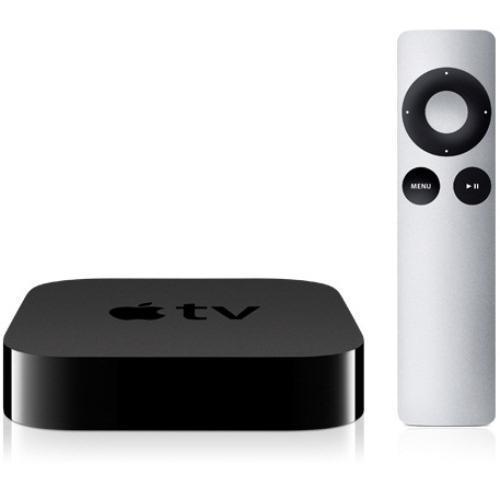
Every since Apple released the small set top box known as the Apple TV, people have wondered:  Is Apple TV worth it?  Is it worth the purchase?  Does it provide enough content?  Well, if you're one of the ponderers, I hope this article will give you some insight into Apple's little hobby.

What does Apple TV do?


Let's take a look at what Apple TV offers to help answer the question:  Is Apple TV worth it?  First, Apple created the Apple TV so it naturally fits into the Apple ecosystem.  If you are an Apple fan and own many of their products, this decision may be a no brainer for you.  For users not already in the Apple ecosystem, this is what the Apple TV can do.

1.  It works with iTunes so you can stream music, TV shows, and movies you have purchased or rented.

2.  This could be included into #1 but it also allows you to stream podcasts and iTunes U content from your computer.  This is a favorite feature of mine.

3.  Apple TV allows you to stream content from Apple as well.  By highlighting TV Shows or Movies, this device will show you the latest releases in the respective areas.  When you select one of these categories, you can purchase or rent the TV Show or Movie from the Apple TV.  Apple also allows you to rent some movies before they appear or while they are in movie theaters.  It can be a little pricey but it may be worth it to someone that would rather enjoy a new movie at home.

4.  The latest version, Apple TV 3, can display up to 1080p high definition content.

5.  You can watch Movie Trailers on this device.

6.  Sports fans can watch Baseball, Basketball, and Hockey.  I believe you need subscriptions for these.  Without the subscriptions, you may be able to watch game highlights and wrap-ups.

7.  You can view individual pictures, picture slideshows, and also set up your screensaver to be a picture slideshow with multiple display styles.

8.  You can stream radio stations.

9.  You can watch YouTube videos, Netflix, and Hulu+.

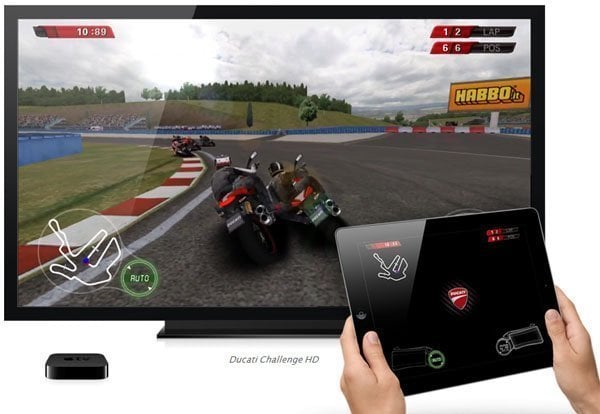
10.  Last, but not least, you can use AirPlay.  AirPlay allows you to stream content from iTunes, your Mac, or an iOS device to your Apple TV.  This is where it gets good!  If you have the latest devices, you should be able to mirror the screens of those devices on your Apple TV.  This means you can display apps on your large screen.  I can't promise all apps work.  You would have to test them, but  that largely increases the Apple TV's capabilities.

What doesn't Apple TV do?

So far, what do you think?  Is the Apple TV worth it?  We've looked at what the Apple TV can do.  Next, let's look at what it cannot do.

1.  Apple TV doesn't play various video formats.  You are limited to the MP4 format.  Tip:  Now, if you convert your videos to this format, then you should be able to watch them using your Apple TV.

2.  Apple TV doesn't provide a huge amount of content.  It provides a lot of content but there are other devices that may offer more.

3.  Apple TV doesn't have voice navigation.  Users may feel limited with the remote and it may take longer to type in search items.

Your choice

Now that you've had a chance to see what features the Apple TV offers and what features it does not, you can make an educated decision.  Apple makes great products but they have many competitors.  I think Apple makes the best quality products.  You can normally get an Apple TV for $99, slightly lower if you find a sale.  In the end, the choice is yours.  Only you know if the Apple TV is worth it for you.

Did you find this helpful?

If you found this helpful, make sure you leave a comment, share it, "Like" us on Facebook, and follow me on Twitter!


Check out the sales below by selecting the picture! 
Apple TV Digital Multimedia Receiver (MD199LL/A)
Get yours on sale now!


You may also like:

Installed a SSD in Macbook and Mac Mini

The Refurbished Mac Mini Story

Tips for buying Apple products


Tuesday, January 1, 2013

Happy New Year 2013!


Happy New Year!

Happy New Year 2013

A new year has arrived!  To reflect from an Apple Newbies perspective, it was a good year.  It wasn't great but the site is growing and I am thankful for what I have accomplished.

The site used to be called Apple Info by TigerDG but this year I created Apple Newbies!  I think it has a good ring to it.  My focus has been on helping new and experienced Apple product users.  The products are pretty great so hopefully, you don't need too much help.  If you do, I will post helpful tips and tutorials to keep you productive and enjoying your devices.

During the year, I did get side-tracked a bit by providing too much news and rumors at times.  I value news and product rumors but there are already plenty of great sites that provide that.  In an effort to still provide you news while maintaining focus on great tips and tutorials (with key news when needed), I created the news feed that runs at the top of the page.  If you haven't noticed it, it is constantly updating with the latest news from multiple sources to keep you informed.  Just click on any article you want to know more about!

The latest feature I recently added was the Contact page.  Now you can submit any questions or suggestions for Apple Newbies during this new year.  I want this website to be a great experience for everyone.  Your questions and help will only make Apple Newbies stronger.

So cheers to a great new year and seeing what the future holds!

Saturday, December 22, 2012

Apple iOS App Switcher Improvements

Apple has created some great products (iPod, iPhone, iPad) and introduced us to the world of iOS.  iOS gave us capabilities on our phones that we didn't initially expect.  I mean multi-touch is a great feature!  Well, new technology is only new for a short time.  After we get used to features we didn't previously know we needed, we begin to think of new ways the technology could be improved.  There is always room for improvement, right?

Auxo has taken the iOS app switching feature to the next level.  I will just cover a couple of quick features because the video below does a great job of walking you through them.  Before you even play the video, you can already see the difference.  The icons have little previews behind them so you can quickly see what's happening with the app.  Another wow factor item is if you try to close an app that is currently running, you will be notified before the app is closed giving you the opportunity to change your mind.  I'm always rushing and closing apps on my iPhone only to realize one second too late that I wasn't ready to close an app.  The Music and Pandora apps are good examples.  They play in the background and sometimes you forget the iOS device is providing the music, especially if you're using AirPlay.  I don't want to ruin the video so I'll stop with those two features.  There are still more  that will interest you.  So take a look at the video and let me know what you think.  Is this app switching evolution?


Sunday, December 9, 2012

New Apple TV Update To Bring Bluetooth Keyboard Support


This is exciting news!  It's only minor news technically but it makes my mind wander about what this could mean in the future.  Apple's next iOS update to the Apple TV is expected to bring Bluetooth keyboard support.  Normally, the Apple TV is fairly easy to navigate with the remote but when you have to search for something, the process is lacking.  You have to arrow up, down, and side to side to get to each character and then press enter.  With a keyboard, you just type as you normally would.  This would definitely help the search function.  Now, my mind is wandering in the direction of thinking Apple is moving towards having a web browser added to the Apple TV.  This is just speculation on my part of course, but how cool would that be?  I understand some users have had this feature for a while by jailbreaking their Apple TV 2 or earlier editions and adding Couch Surfer (I think that's the name).  Since the Apple TV 3 has not been jailbroken yet, this is not an option so I'm excited by the possibility of what could follow the Bluetooth keyboard support.  Sorry, not trying to start the next rumor.  I'm just stating where I think Apple is heading.  I could be completely wrong.  Hopefully not.  Let me know your thoughts on the matter.  Below is the complete article.


Upcoming AppleTV Update

Saturday, December 1, 2012

Apple News and Updates: iMac, iTunes 11, and Unlocked iPhone 5


Whether you are a PC or Mac user, you can appreciate this.  The new iMac is now available for purchase.  I'm excited about the beautiful design.  This is expected from Apple but honestly, it did catch me by surprise when it was revealed.  I don't remember seeing anything in the rumor sites before the unveiling.  If you or your family and friends are looking for an all-in-one computer, I think this will be a great choice.  Apple has once again set the standard.  Due to competition, expect other companies to follow with their designs...so PC and Mac users can benefit.   The most exciting part is the design of the iMac but Apple did make other improvements such as reducing glare on the display.  If you like the details of how it performs, you can find the benchmarks below.  Also if you haven't done so, make sure you look at the video above.

iMac Benchmarks

Also, in news, Apple released iTunes 11.  It's about a month later than originally expected but hopefully, that is so Apple could release a polished product.  They don't need another Maps incident.  Apple's plan with iTunes 11 is to have a more simplified design for ease of use.  I've already downloaded it but haven't had a chance to play around with it yet.  Look at the links below for more details.  "What's New?" will take you to Apple's site where you can watch their video explanation.

What's New?

iTunes 11 Released

Now, don't forget.  If you're upgrading to iTunes 11, make sure you upgrade your Remote App and AppleTV also.

Update Remote App and AppleTV

The last update is that Apple now has unlocked iPhone 5's for purchase online.  This came a little late for me since I just went under contract with my iPhone 5.  You could already buy unlocked iPhone 5's in the Apple Retail Stores if they were available.  With them now being available on the Apple Online Store, you should be able to reserve them for next day pickup in the Retail Store.  Don't quote me on that one.  Of course, if you buy the unlocked iPhone 5, you will have to pay more upfront but it will give you flexibility in choosing service providers.  If you make the right choice and calculate over a 2 year period, you may actually save more than with a contract plan.  You can follow me on Twitter (@TigerDLG)  or Google+ and direct message me for service provider tips.

Buy Unlocked iPhone 5 in U.S.

Tuesday, November 27, 2012

The Power of iPad


In 2010, Apple introduced the iPad took the world by storm and began the transition to tablet computing.  Often, I thought the iPad could not do all the things that a computer could do.  On the other hand, there are just so many apps available!  They make the iPad powerful and flexible.  iPads may all look the same without special cases or covers, but the apps chosen reflect the individual user.  It's almost hard to believe we are on the 4th generation of iPad.  As many people continue to buy iPads for the holidays, I just want to show you a few videos demonstrating the technology we now have with the iPad.


Parrot AR Drone


iPad Controlled Robot


iPad Controlled Lighting


iPad Controlled House


Recent iPad Controlled Home

Sunday, November 25, 2012

Mission Control on Mac

I haven't really used Mission Control on my Mac very often.  I think that was because I hadn't spent any time to learn about it.  After taking the time, I can already see ways that it can help me improve my productivity while keeping my workspaces neat and tidy.  If my computer were a desk, it would be a cluttered desk.  Mission control clears up the clutter.  It may take a little bit of time to get used to but I think it will be beneficial.

The videos below offer a quick tutorial (1st one) to get you started or a more detailed tutorial (2nd one) that covers gestures, special keys, and even settings to use.  So, it's your choice.  You can learn and implement quickly or you can dive deeper and master Mission Control.  "Master" may be stretching it.  Enjoy!


Tuesday, November 20, 2012

Apple Releases Two New iPhone 5 Commercials


Apple launched two new iPhone 5 commercials with the titles of "Orchestra" and "Turkey".  The first one focuses on how the iPhone 5 reduces background noise during calls.  The second commercial focuses on using Apple's Photo Stream sharing feature.

Both features are interesting and add to the value of purchasing an iPhone 5.  So without further ado, take a look at the commercials below and decide if they are up to Apple's normal standards.


Thursday, November 15, 2012

Apple Television Rumors Return


Recently, we haven't heard many rumors about Apple creating a television set.  The device was being called the iTV in previous rumors.   In the past, it seemed like the rumor was gaining momentum but the last rumor I heard was that there were delays in content contracts.  Now that the iPad 4th generation and iPad Mini have launched, MacRumors has posted the first new Apple television rumor I have seen.  The article discusses that at least one major cable company is looking into the potential impact an Apple television would have on its network infrastructure.  It also mentions that it could be an updated Apple TV or an Apple television coming out.  There is no mention of a release date.  I guess we will see if Apple has one more event planned for this year shortly.  If they want to launch a device for Christmas, time is running short so they would need to host an event this month.  I'm not sure that would even be enough time.  It may be more likely that Apple will launch early in the New Year.  Right now, this is all speculation.  I'm just kind of throwing out some ideas.  I would like to see what Apple would create for a television after I saw what they did with the iMac.  More details are in the article below.  Read through it and let me know what you think.  Do you think Apple will and/or should launch a television?

Apple Television Rumor